
How it helps your club
An online club shop saves you carrying a box of kit to every session and taking cash at the door. Members order when they want to, and you see what has sold.
How it works
Admins add items with prices and stock on the web. Members browse and order from the shop in the app or on the web, and pay online. If you switch on Allow pay at club under Shop → Manage Items, members can choose to pay in person instead; mark the order paid once you've taken the money. An unpaid card order can be marked paid the same way: you'll be asked to confirm, which closes its card payment and records it as paid at the club. You manage orders and refunds from the dashboard.
Shop order notifications are always on for members, as they are for billing.
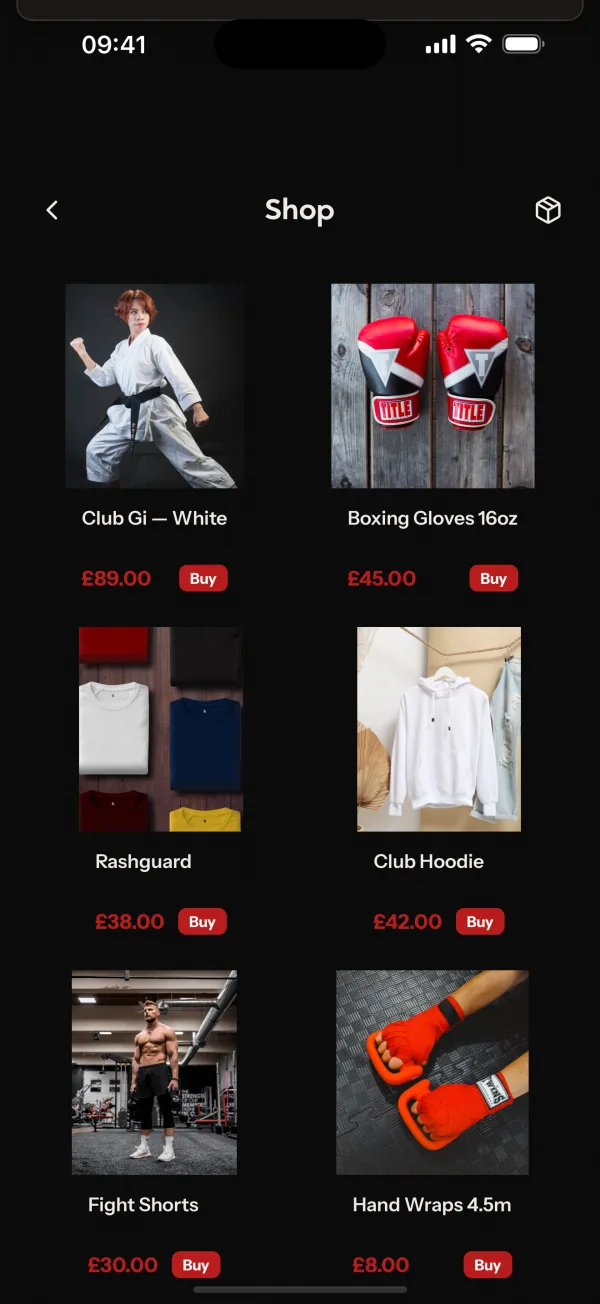
Common questions
- Does the shop track stock?
- Yes. You set the stock for each item and can see your orders.
- Can members pay with their wallet balance?
- Yes. Any wallet balance, including gift card credit, applies to shop orders automatically.
- Can I refund an order?
- Yes. Admins can refund shop orders.
Related features
- Gift CardsSell gift cards from a public page and let recipients spend the balance on shop orders and invoices.
- SponsorshipsA public page where local businesses and supporters sponsor your club with a one-off or recurring payment.
- SubscriptionsCharge membership plans automatically, let members pause or change plan, and schedule price changes ahead.
Setting it up for your club is covered in the help centre.
