
How it helps your club
Grading management software saves you working out eligibility by hand. OurClub shows who is ready, lets you invite them, and tracks who has paid, so grading day starts with a clean list.
How it works
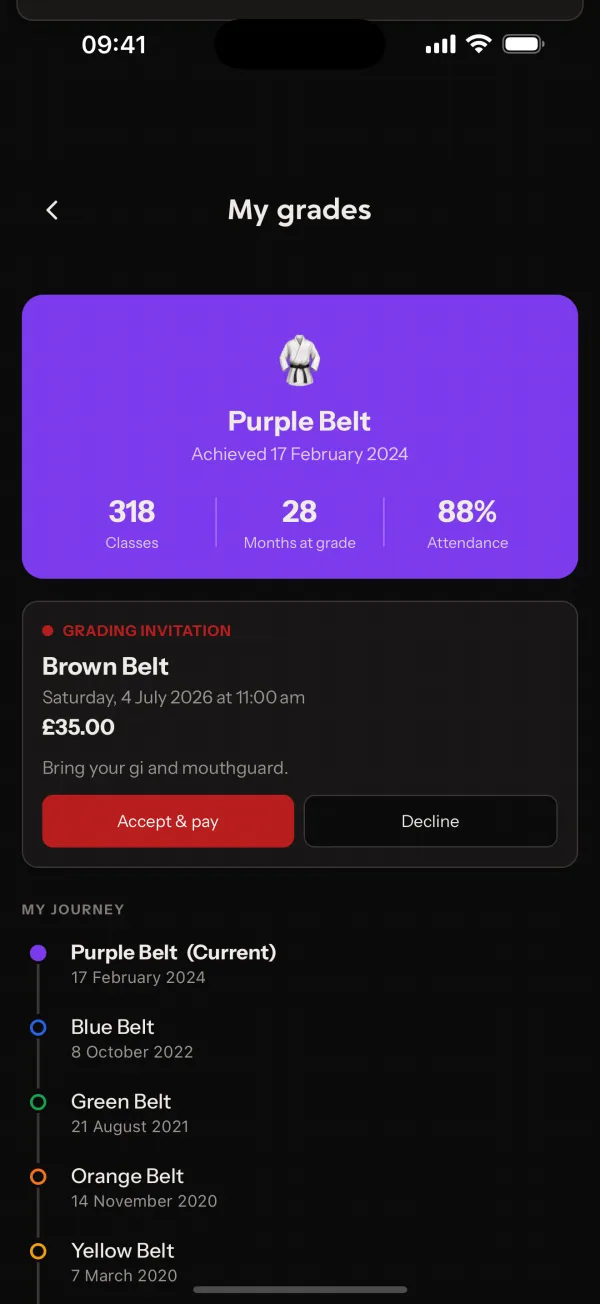
A grading runs in three stages: the Grading List, Invitations and Payments. The list shows members who have waited long enough at their current grade. You invite the ones you want, then follow up anyone who has not yet paid.
Coaches can manage gradings from the app as well as the web. Members see their own grade history and any upcoming grading. The feature is off by default.
Common questions
- How does OurClub decide who is eligible to grade?
- Each grade has a wait period. Members who have held their current grade for long enough appear on the grading list.
- Can I collect the grading fee?
- Yes. Invited members pay the fee online, and you can see who has not paid and chase them.
- Does it produce certificates?
- No. OurClub records grades and runs the grading, but it does not generate certificate PDFs.
Related features
- Member ManagementOne record per member with their family, classes, subscriptions, payments and wallet, plus import and export.
- MessagingMessage members and parents inside the club. Safeguarding rules apply to every conversation.
- Self RegistrationLet people join your club themselves, with an optional approval step before they get in.
Setting it up for your club is covered in the help centre.
