
How it helps your club
A club app for members stops you chasing people across email, text and group chats. Everyone sees the same timetable, the same notices and the same messages in one place, and you reach them with a push notification instead of hoping they read their email.
Parents manage their children from the same login. Coaches see their classes and registers. Members book, check in and read club news without asking you.
How it works
Members download the OurClub app and sign in with their email address. The app sends a login code each time, so there are no passwords to reset.
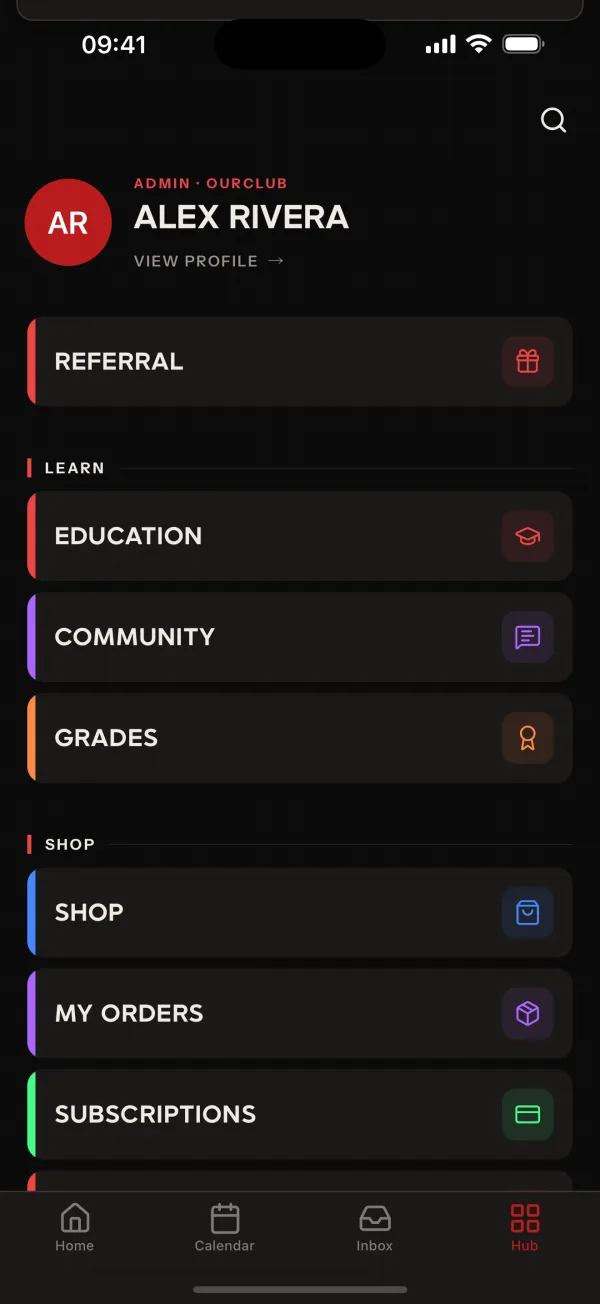
The app has four tabs: Home, Calendar, Inbox and Hub. Hub holds the rest of what your club uses, such as bookings, the shop, wallet, forms and programmes. Anything you switch off on the Features page disappears from the app.
Common questions
- How do members sign in to the OurClub app?
- They enter their email address and the app sends them a login code. There is no password to remember.
- What can members do in the app?
- The app has four tabs. Home shows what is coming up, Calendar shows classes and events, Inbox holds messages and notices, and Hub opens everything else your club has switched on.
- Can members still use the website instead?
- Yes. Members can use either. Push notifications only reach people through the app, so most clubs ask everyone to install it.
Related features
- ReportingRun club reports as PDF, CSV or Excel, and schedule them to repeat daily, weekly, fortnightly or monthly.
- Class RemindersRemind booked members, or their parents, about an upcoming class so fewer people forget to turn up.
- Classes and SchedulingSet up your timetable once, with capacity limits, and let members see it in the app and in their own calendar.
Setting it up for your club is covered in the help centre.
